Betaflight FC (DIY)
Rotorflight grew out of Betaflight, so most Betaflight flight controllers can run it. They're made for quadcopters -- four motors, no servos -- so they need some work:
- Flash Rotorflight, choosing the board's Betaflight target name.
- Remap the outputs for servos, motors and an RPM input.
- Solder the servo, ESC and receiver connections to the pads.
See Hardware for what to look for in a board.
Example: OMPHobby M1 with a DarwinFPV 15A AIO
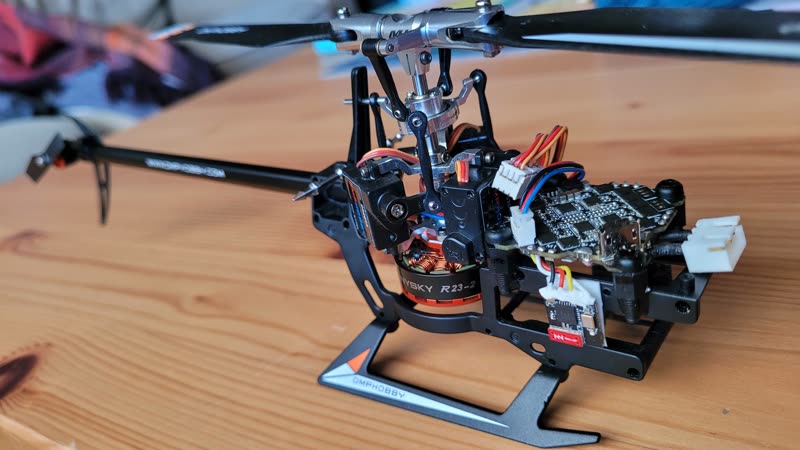
The OMPHobby M1 is a small (about 120 g) helicopter with brushless main and tail motors. Here its stock electronics are replaced by a DarwinFPV 15A "whoop" all-in-one board -- flight controller and four ESCs -- with a BETAFPV ELRS Lite receiver.
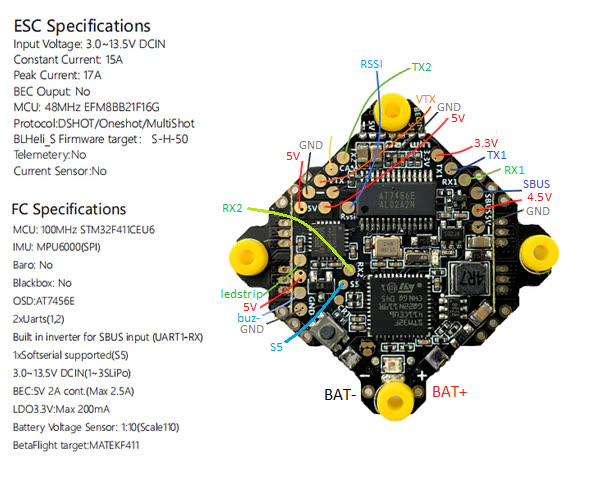
- 15 A continuous (17 A peak) is plenty for the main motor.
- The 2 A 5 V BEC powers the servos.
- There are enough pads for three servos, the receiver and an OpenLager.
The version of this board with a built-in ELRS receiver can't be used: its receiver is on SPI.
Build notes
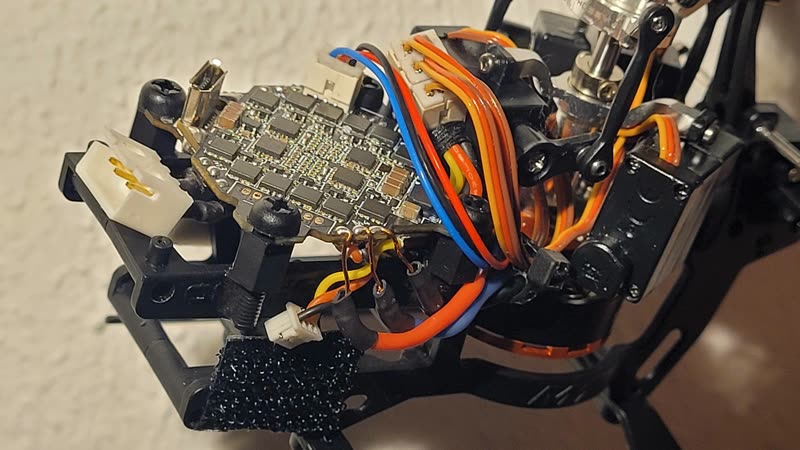
- The board is mounted on plastic M3 standoffs glued to the frame.
- The servo connectors are three Molex PicoBlade headers glued together (like the PicoBlade LED bus), wired to the board with 28 AWG power and 30 AWG signal wires, and reinforced with epoxy.
- Wires soldered to the board are secured with electronics-safe silicone.
- The ESCs run Bluejay, for bidirectional DShot RPM.
- The pre-soldered capacitor was removed.
Remapping
resource MOTOR 1 B07   # main motor, on the M4 pad
resource MOTOR 2 B04   # tail motor, on the M1 pad
resource MOTOR 3 NONE
resource MOTOR 4 NONE
resource SERVO 1 A00   # RSSI pad
resource SERVO 2 B03   # S5 pad
resource SERVO 3 A08   # LED strip pad
resource LED_STRIP 1 NONE
ELRS is on RX1/TX1 and the 4.5 V pad (so it's powered on USB too); the OpenLager on TX2.
The complete configuration: m1-darwinfpv-diff-all.txt (Rotorflight 2.x era -- for reference).
Sensitive gyros
Some boards -- including some DarwinFPV 15A batches -- use the MPU-6500 gyro, which copes badly with vibration. Hard-mounted, it shows up as a noisy, twitchy gyro trace. Soft-mount the board, for example with rubber O-rings around the mounting screws.
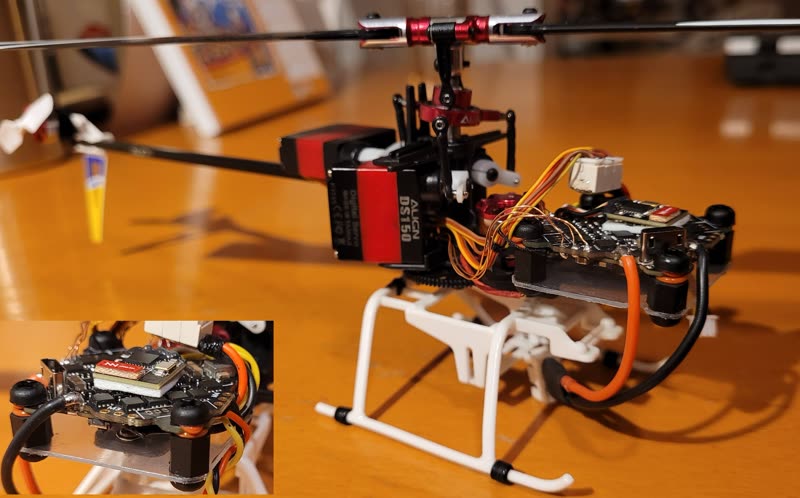
To see which gyro you have, run status in the CLI and look for the
GYRO= field, for example GYRO=MPU6500, ACC=MPU6500.