Failsafe
What the flight controller does when the radio link is lost.
How failsafe works
- Short dropouts -- for a fraction of a second, the last good values are held and you won't notice.
- Stage 1 -- if the signal is still missing, each channel switches to
its Channel Fallback value (below) for up to 1.5 s
(
failsafe_delay). If the link comes back in this time, you have control again straight away. - Stage 2 -- if the link is still lost, the flight controller disarms: the motor stops. After the link returns, it needs a second of good signal and the arm switch toggled before it will arm again.
The FAILSAFE mode on the Modes tab triggers the same thing
from a switch.
Set up your receiver's own failsafe
The receiver must stop sending channel data when it loses the link (on many receivers this is called No Pulses). If it's set to hold the last values or send preset positions instead, the flight controller can't tell the link is gone. Most serial receivers -- CRSF, F.Bus, SBUS -- signal failsafe properly by default.
Test it with the blades off: arm, spool up a little, switch the radio off, and check the motor stops within a couple of seconds.
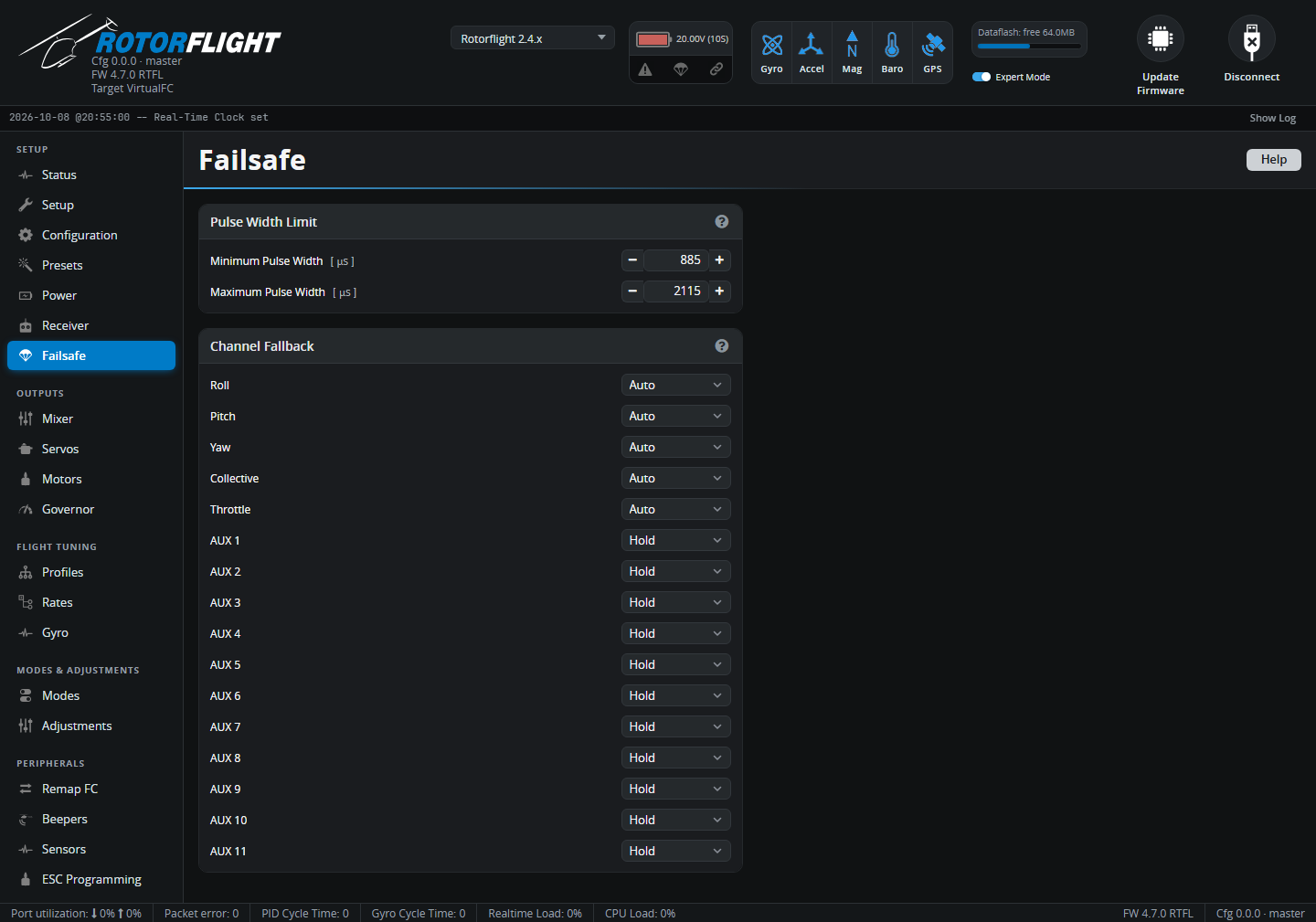
Pulse Width Limit
Channel values outside Minimum Pulse Width (default 885 µs) to Maximum Pulse Width (2115 µs) are treated as invalid, and trigger failsafe for that channel.
Channel Fallback
What each channel does during stage 1:
| Option | |
|---|---|
| Auto | A safe value: cyclic, yaw and collective centred, throttle low. (Roll, Pitch, Yaw, Collective and Throttle only.) |
| Hold | Keep the last good value. Default for the AUX channels, so switches -- including the arm switch -- don't change during a short dropout. |
| Set | Use the value you enter, in µs. |
Leave the main controls on Auto unless you have a specific reason.