Backup & Restore
A backup is a text file of CLI commands that recreates your configuration. Take one before every firmware update, before big tuning changes, and as soon as a new helicopter flies well. Backups are also the easiest way to share a setup or move it to another flight controller.
Taking a backup
- Open the CLI tab.
- Click Backup at the bottom right.
- Choose Backup (diff all) or Backup (dump all).
- Choose where to save the file.
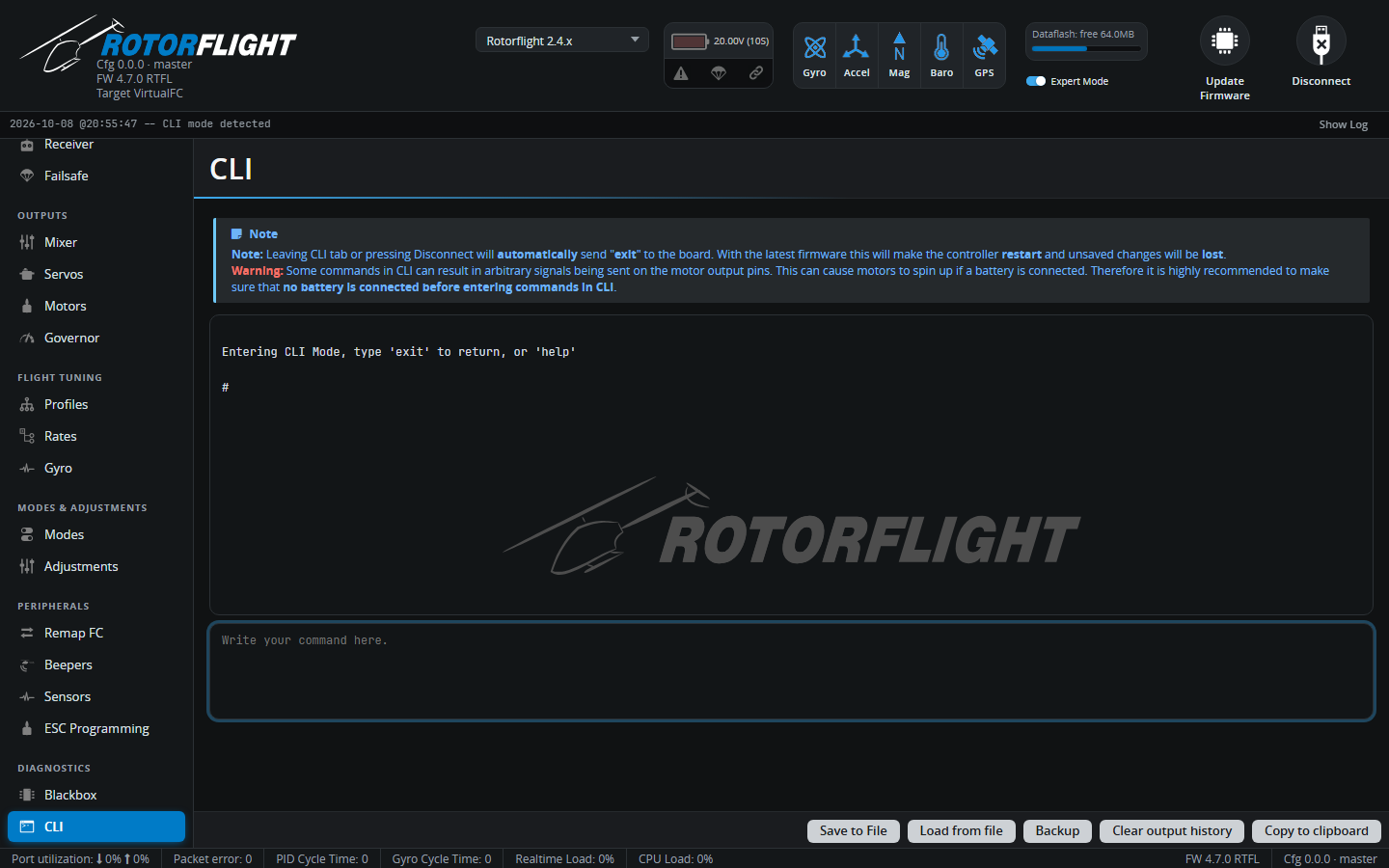
- Open the CLI tab and click Clear output history.
- Type
diff all(or another command from the table below) and press Enter. - When the output stops, click Save to File.
The Firmware Flasher wizard has a Backup step that captures your settings before flashing and restores them once the new firmware boots. Use Save Backup File... in that step to keep a copy on disk as well.
Which command?
| Command | Contains |
|---|---|
diff all |
Every setting that differs from the defaults, for all PID and rate profiles. The best choice for backups -- small, easy to read, and it survives firmware updates best. |
diff |
As above, but only for the currently selected profiles. |
dump all |
Every setting, changed or not, for all profiles. Large; useful for comparing two boards side by side. |
dump |
Every setting for the current profiles only. |
diff hardware / dump hardware |
Only the board hardware setup: pin assignments (resource), timers, DMA. |
Name your backups
Include the helicopter, firmware version and date in the file name, for
example goblin-700_rf2.3.0_2026-10-08.txt. You'll thank yourself after
the next update.
Restoring a backup
- Open the CLI tab and click Load from file.
- Pick the backup file. The Configurator shows the commands so you can check, and edit, them before they run.
- Click Execute.
- When it has finished, type
saveand press Enter. The flight controller saves the settings and reboots.
Restoring onto a newer major version
A diff all from an older release may contain settings that have been
renamed or removed, or whose meaning has changed. Unknown commands are
reported as errors and skipped; the rest are applied. Check the
Upgrade Notes for anything that has to be set up
again by hand, and look through the result before you fly.
The same steps load board configuration snippets -- for example the resource remapping for a Betaflight flight controller -- or setups shared by other pilots.