Status
The Status tab opens when you connect. It's a dashboard of what the flight controller is doing right now: its identity, why it won't arm, the battery, its attitude, and what it's receiving from your radio.
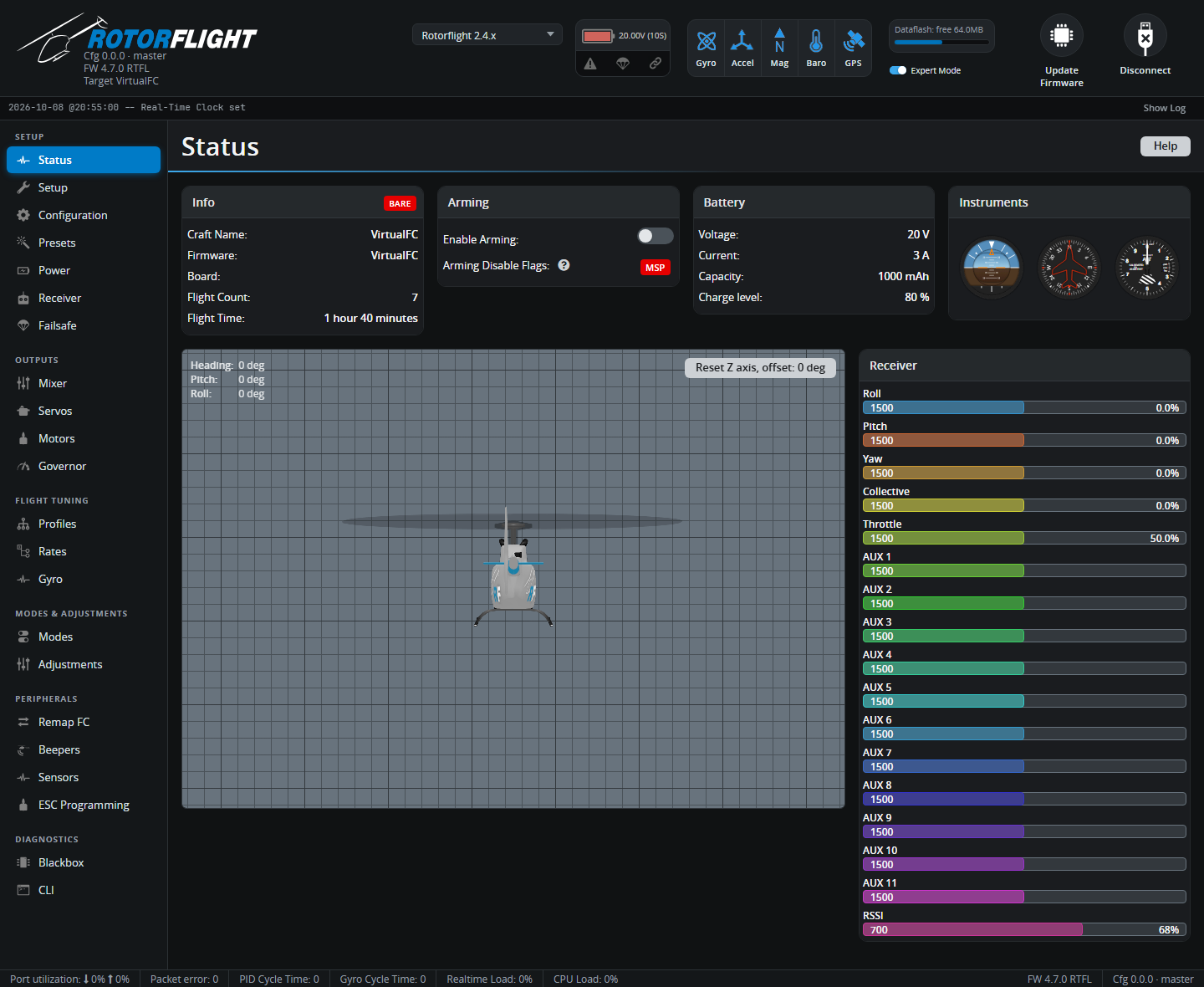
Info
| Field | Shows |
|---|---|
| Badge | CONFIGURED, DEFAULTS or BARE -- whether the board has a saved setup, factory defaults for its board, or no board configuration at all. A BARE board needs flashing with its board selected; see Flashing the Firmware. |
| Craft Name | The name set on the Configuration tab. |
| Firmware | Firmware version and build. |
| Board | The board configuration that was flashed. |
| Flight Count / Flight Time | Lifetime statistics, if flight statistics are on. |
Arming
-
Enable Arming lets the flight controller arm while the Configurator is connected, for bench tests. You're asked to confirm, and a red warning banner stays up until you switch it off.
Danger
With arming enabled, the motor can start. Remove the blades. Never fly with the Configurator connected.
-
Arming Disable Flags lists everything currently stopping the helicopter arming.
MSPis always there while the Configurator is connected. Hover over a flag for a short description, or see the full list on Arming & Safety.
Battery
Voltage, current, consumed capacity and charge level, as configured on the Power tab. With a USB-only connection these read close to zero.
Model and instruments
The 3D helicopter and the attitude, heading and altitude instruments follow the flight controller's attitude estimate. Tilt and turn the helicopter -- the model must move the same way. If it doesn't, the board orientation is wrong: fix it under Board and Sensor Alignment on the Configuration tab.
Reset Z axis zeroes the displayed heading, to line the model up with the real helicopter. It only affects the display.
Receiver
Live channel values from the receiver, in µs and as a percentage: Roll, Pitch, Yaw, Collective, Throttle and the AUX channels. Move each stick and switch and check the right bar moves, in the right direction. See Receiver to change the channel order or protocol.