ESC Programming
New in 2.4
Programs your ESC's settings through the flight controller -- no separate programming card or ESC software. The same ESC settings are also available from the radio in the Lua suites.
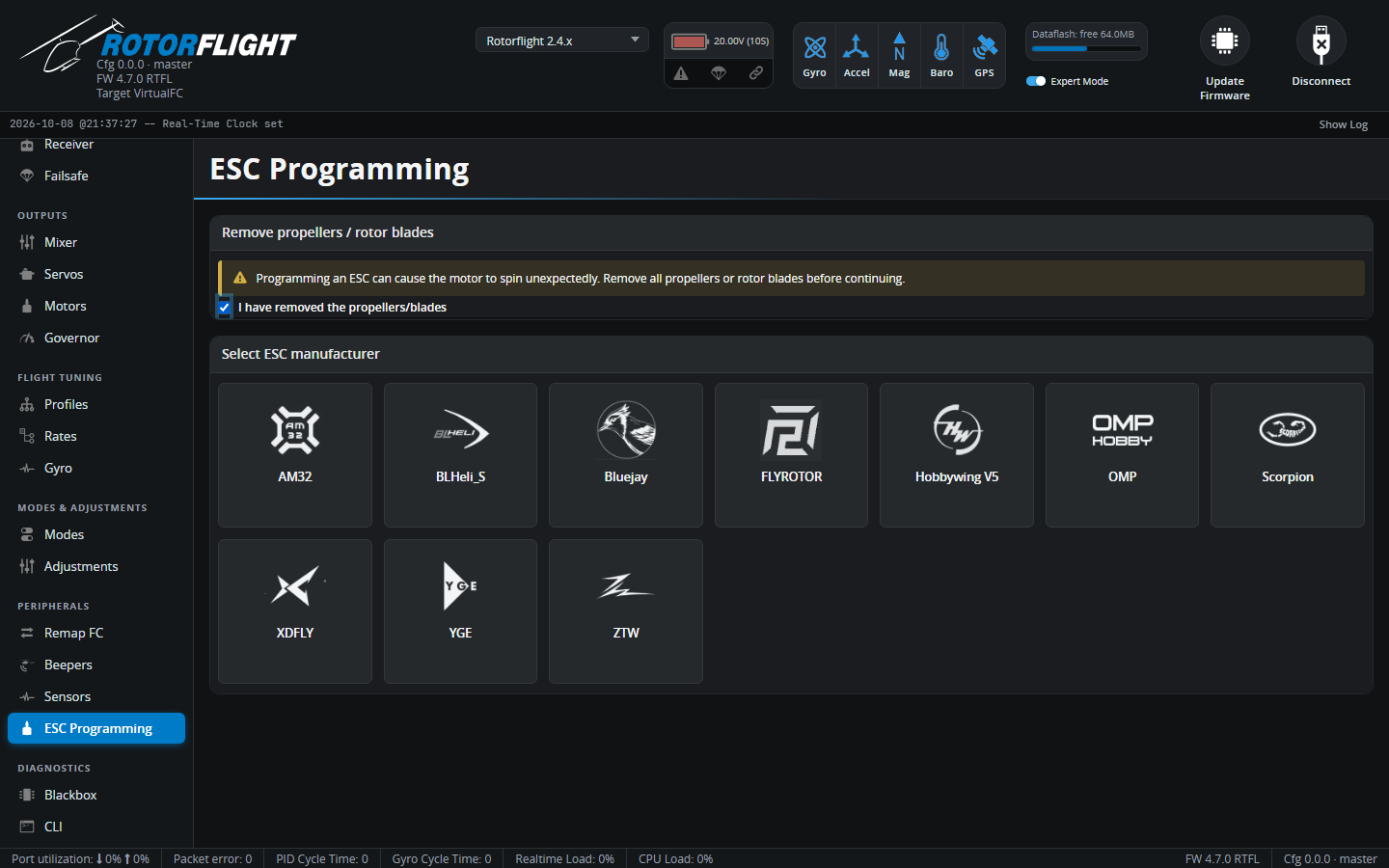
Remove the blades
Programming an ESC can start the motor unexpectedly. The tab won't go any further until you confirm the blades are off.
Supported ESCs
| ESC | Connection |
|---|---|
| Hobbywing V5, Scorpion, OMP, XDFLY, YGE, ZTW, FLYROTOR | Over the ESC telemetry wire. Set the matching Telemetry Protocol on the Motors tab; most need Half-Duplex on as well. The tab tells you which telemetry protocol each one needs. |
| AM32, BLHeli_S, Bluejay | Over the throttle signal wire, using a pass-through to the ESC's bootloader. For DShot ESCs. |
See ESC Forward Programming for wiring and set-up per ESC.
Using it
- Remove the blades and tick the confirmation.
- Pick your ESC manufacturer. With a motorised tail, choose ESC 1 (Main / Motor) or ESC 2 (Tail).
- The Configurator connects to the ESC and reads its settings. Some ESCs only enter programming mode at power-up -- if asked, unplug and reconnect the ESC's battery.
- Change the settings and save. ESCs without a live link need a power cycle afterwards for the changes to take effect; the tab tells you when.
Change ESC goes back to the manufacturer list. Programming is blocked while the flight controller is armed.