Power
Battery measurement, battery profiles, SmartFuel and voltage/current sensor calibration.
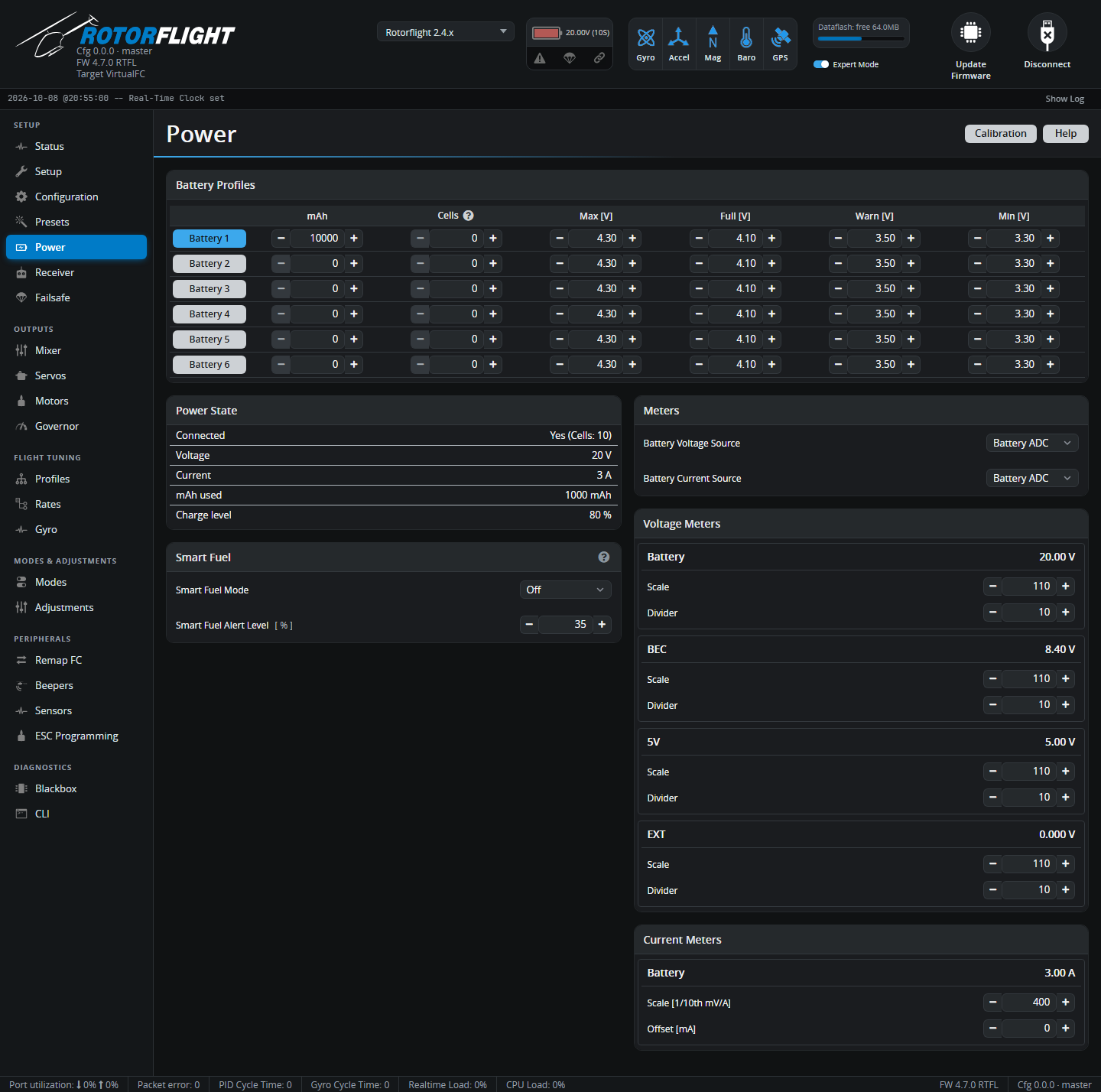
Battery Profiles
Rotorflight keeps six battery profiles, so one helicopter can fly different packs -- for example 6S and 12S, or LiPo and LiHV -- with the right alarms and fuel gauge for each. Each row holds:
| Column | Meaning | Typical LiPo |
|---|---|---|
| mAh | Pack capacity. Used for mAh-based fuel and SmartFuel Current mode. | Your pack |
| Cells | Number of cells. 0 detects the count from the voltage when the battery is plugged in -- reliable for full packs, but a half-empty pack can be miscounted, so set it if you can. | 0 or your pack |
| Max [V] | Highest believable cell voltage; used for cell count detection. | 4.30 |
| Full [V] | A fully charged cell. The fuel gauge reads 100% here. | 4.10-4.20 |
| Warn [V] | Low-voltage warning. | 3.50 |
| Min [V] | Empty cell. The fuel gauge reads 0% here. | 3.30 |
For LiHV packs raise Max and Full (e.g. 4.40 and 4.35).
Click a Battery button to make that profile active. You can also switch from the radio with the Battery Profile adjustment or the Lua suite. A change made while armed is applied once you disarm.
Power State
Live readings: whether a battery is detected (and its cell count), voltage, current, mAh used and charge level. With USB power only, Connected reads No.
Smart Fuel
SmartFuel gives a fuel percentage that behaves sensibly in flight: it never jumps back up when the load drops, and it allows for voltage sag under load.
| Setting | |
|---|---|
| Smart Fuel Mode | Off; Voltage -- estimate from the pack voltage; Current -- mAh used against the profile's capacity; Combined -- whichever of the two is lower. A battery voltage source is needed for any mode. |
| Smart Fuel Alert Level [%] | The landing reserve. The radio scripts show 0% fuel at this level. Default 35%. |
| Voltage Drop Rate | (Voltage and Combined) How fast the voltage estimate may fall. |
| Charge Drop Rate | (Voltage and Combined) How fast the displayed percentage may fall once armed. |
| Sag Gain | (Voltage and Combined) Expected sag per cell at full load. Raise it if SmartFuel reads too low under load, lower it if it reads too high. |
See SmartFuel for how it works and how to set it up.
Meters
Where the battery voltage and current come from:
| Source | |
|---|---|
| None | Not measured. |
| Battery ADC | The flight controller's own voltage and current inputs. |
| ESC | The ESC's telemetry. See ESC Telemetry. |
| FBUS | FrSky voltage/current sensors on the F.Bus or S.Port master link. |
| CRSF | CRSF sensors connected to the flight controller. |
Voltage Meters and Current Meters
Each ADC input -- Battery, BEC, 5V, EXT -- has a Scale and Divider, and the current meter a Scale and Offset. Rotorflight flight controllers come with these set correctly. For other boards, use the Calibration button:
- Remove the blades and plug in a battery.
- Measure the real battery voltage with a multimeter (and the current, if you have a way to).
- Click Calibration, enter the measured values and click Calibrate.
- Check the new scales, click Apply Calibration, then Save.
- Confirm the readings now match your meter.