Governor
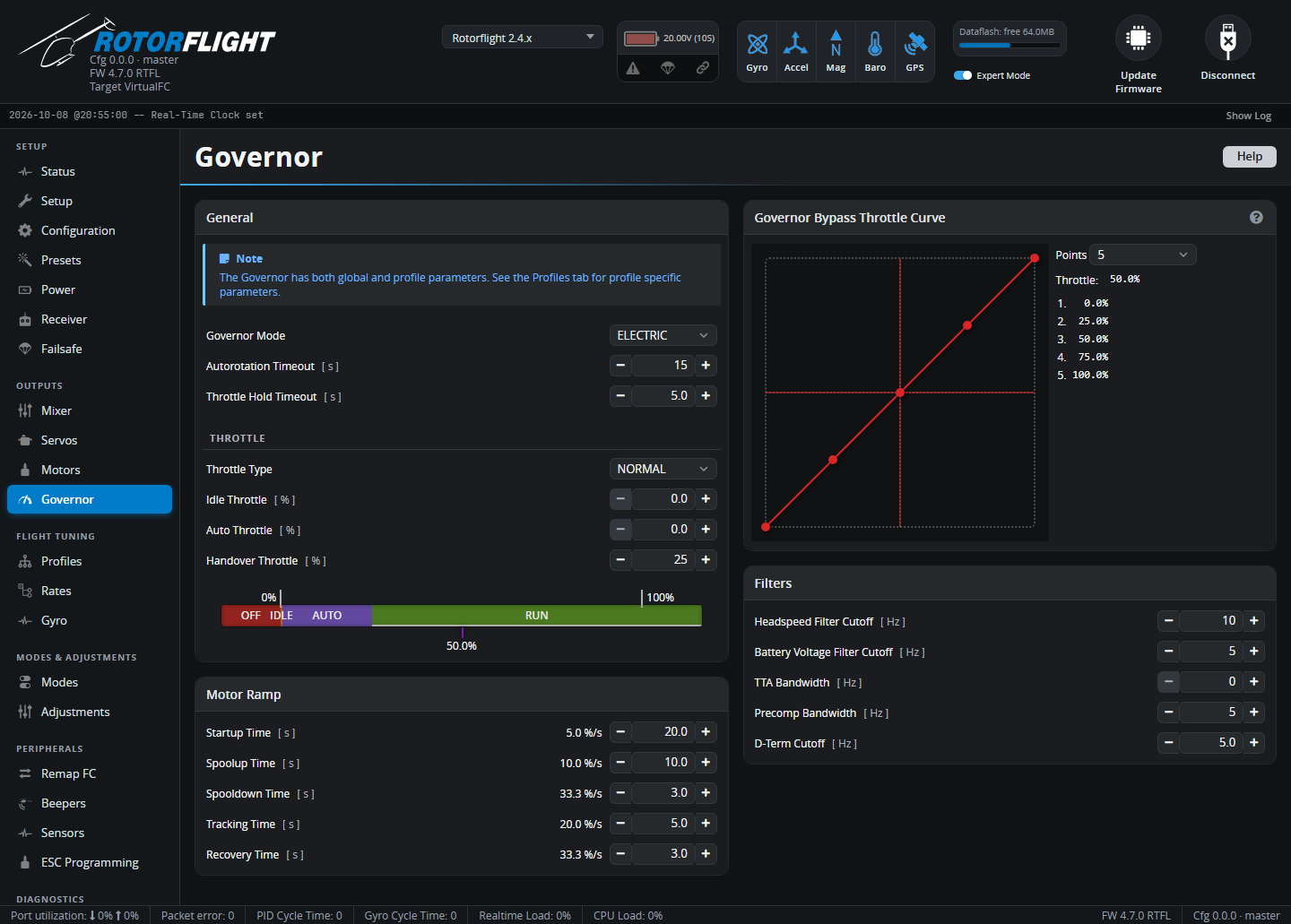
Global governor settings: the governor mode, how the throttle channel works, ramp speeds, filters and the bypass throttle curve. The target headspeed and the governor gains are per profile, on the Profiles tab.
Start here
New to the Rotorflight governor? Read Governor first -- it explains the modes, throttle types and states -- then Governor Setup for a walk-through.
General
Governor Mode
| Mode | What it does | Needs RPM? |
|---|---|---|
| OFF | No governor. Throttle input goes straight to the ESC. | No |
| LIMIT | No governor, but the idle, minimum and maximum throttle limits are applied. | No |
| DIRECT | Slow spoolup, throttle hold recovery and autorotation bailout, but no headspeed control. For an ESC with its own governor, or a throttle curve in the radio. | No |
| ELECTRIC | Full governor, tuned for electric motors. | Yes |
| NITRO | Full governor, tuned for nitro and petrol engines. | Yes |
| Setting | Meaning |
|---|---|
| Autorotation Timeout [s] | How long an autorotation may last and still be bailed out of. 0 disables autorotation bailout. |
| Throttle Hold Timeout [s] | After throttle hold is switched on in flight, the time during which switching it off again gives a fast recovery instead of a slow spoolup -- protection against hitting hold by accident. |
Throttle
| Setting | Meaning |
|---|---|
| Throttle Type | How the throttle channel is used. NORMAL: throttle drives the motor until the target headspeed is reached, then the governor takes over (throttle on a switch or a stick curve). SWITCH: below handover the throttle drives the motor directly; above it, the throttle position sets the target headspeed (switch only; ELECTRIC and NITRO). FUNCTION: the throttle position selects OFF / IDLE / AUTO / RUN -- ideal for ELRS low-resolution switch channels. |
| Idle Throttle [%] | The lowest throttle output while the governor isn't controlling headspeed -- the idle level, kept in the flight controller rather than the radio. |
| Auto Throttle [%] | NORMAL/SWITCH: throttle input below this cancels autorotation (so no bailout). FUNCTION: the output throttle in AUTO. |
| Handover Throttle [%] | Above this throttle input the governor takes over; below it the throttle goes straight to the motor. The motor must start below this level, and a nitro clutch must engage below it. |
The bar under the settings shows how the throttle range is divided between OFF, IDLE, AUTO and RUN, with the live throttle position.
Motor Ramp
Ramp rates are the time for a 0-100% throttle change -- longer is gentler.
| Setting | When it applies |
|---|---|
| Startup Time [s] | Throttle changes below handover (idle), e.g. starting the motor. |
| Spoolup Time [s] | Spooling up from idle to the target headspeed. Long enough to be gentle on the drivetrain -- 10 s or so. |
| Spooldown Time [s] | Throttle reductions at idle. |
| Tracking Time [s] | Changes of target headspeed while flying, e.g. switching profile. |
| Recovery Time [s] | Fast spoolups when already flying: recovery after throttle hold or fallback, and autorotation bailout. |
Governor Bypass Throttle Curve
When the GOVERNOR BYPASS mode is switched on (see Modes), all governor functions -- including ramps and safeguards -- are off, and the throttle comes from this collective-to-throttle curve instead. Set the number of Points and drag them to shape the curve. Use it as a backup for a failed RPM signal, or to fly a traditional throttle curve.
Filters
| Setting | Filters |
|---|---|
| Headspeed Filter Cutoff [Hz] | The measured headspeed. |
| Battery Voltage Filter Cutoff [Hz] | Battery voltage, for voltage compensation. |
| TTA Bandwidth [Hz] | Tail Torque Assist. |
| Precomp Bandwidth [Hz] | The cyclic/collective/yaw precompensation. |
| D-Term Cutoff [Hz] | The governor's D-term. |
The defaults suit most helicopters.