Setup
Calibration and maintenance actions for the flight controller.
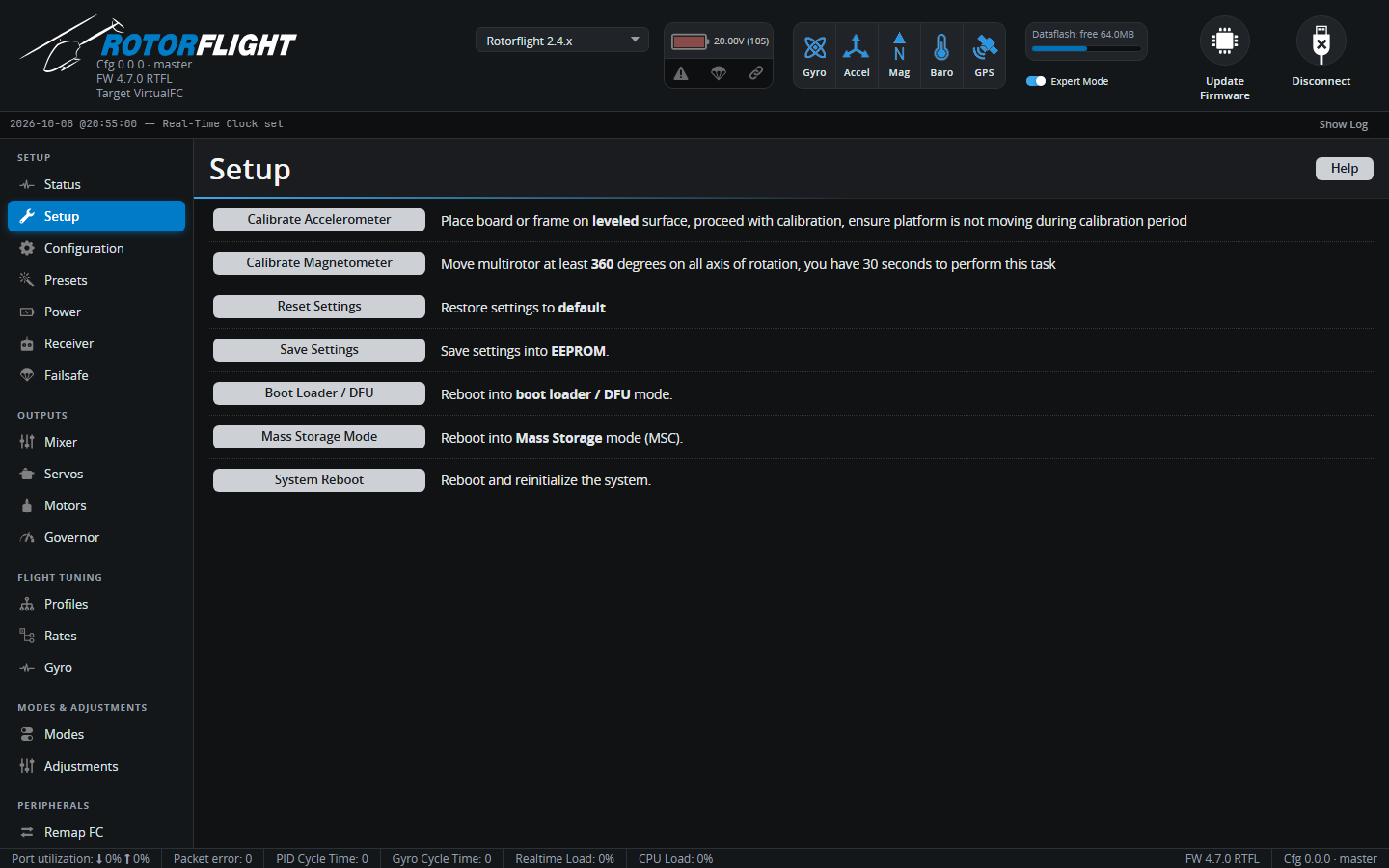
Calibrate Accelerometer
The accelerometer tells the flight controller which way is down. It's used
by the self-levelling features -- Angle, Horizon, Acro Trainer and
Rescue -- and the ACC_CALIB arming flag stays set until it has been
calibrated.
- Install the flight controller in the helicopter.
- Stand the helicopter on a level surface, with the main shaft vertical (check with a level on the swashplate or the frame).
- Click Calibrate Accelerometer and don't touch the helicopter for a couple of seconds.
Calibrate again whenever you remount the flight controller. Small drifts in Angle or Rescue mode are then trimmed out with the accelerometer trims, not by recalibrating.
Note
If you don't use any self-levelling mode, you can switch the accelerometer off on the Configuration tab instead.
Calibrate Magnetometer
Only shown on boards with a compass. Click the button, then rotate the helicopter through a full turn around all three axes within 30 seconds. The compass is used for telemetry only.
Reset Settings
Restores all settings to the defaults for your board. You're asked to confirm. Take a backup first.
Save Settings
Writes the current settings to the flight controller's flash. The other tabs save for you, so you'll rarely need this.
Boot Loader / DFU
Reboots the flight controller into its DFU bootloader for flashing, as if you'd held the BOOT button. It stays in DFU until it's flashed or power cycled.
Mass Storage Mode
Reboots the flight controller as a USB drive, so you can copy Blackbox logs straight from its flash chip or SD card. Power cycle to return to normal.
System Reboot
Restarts the flight controller.