LED Strip
Sets up addressable LED strips (WS2811/WS2812) -- for orientation lights, battery and arming status, or just show. The tab appears when the LED_STRIP feature is on, on the Configuration tab.
Step-by-step
For a walk-through -- wiring, laying out the grid and choosing colours -- see LED Strip in the Setup Guides.
How it works
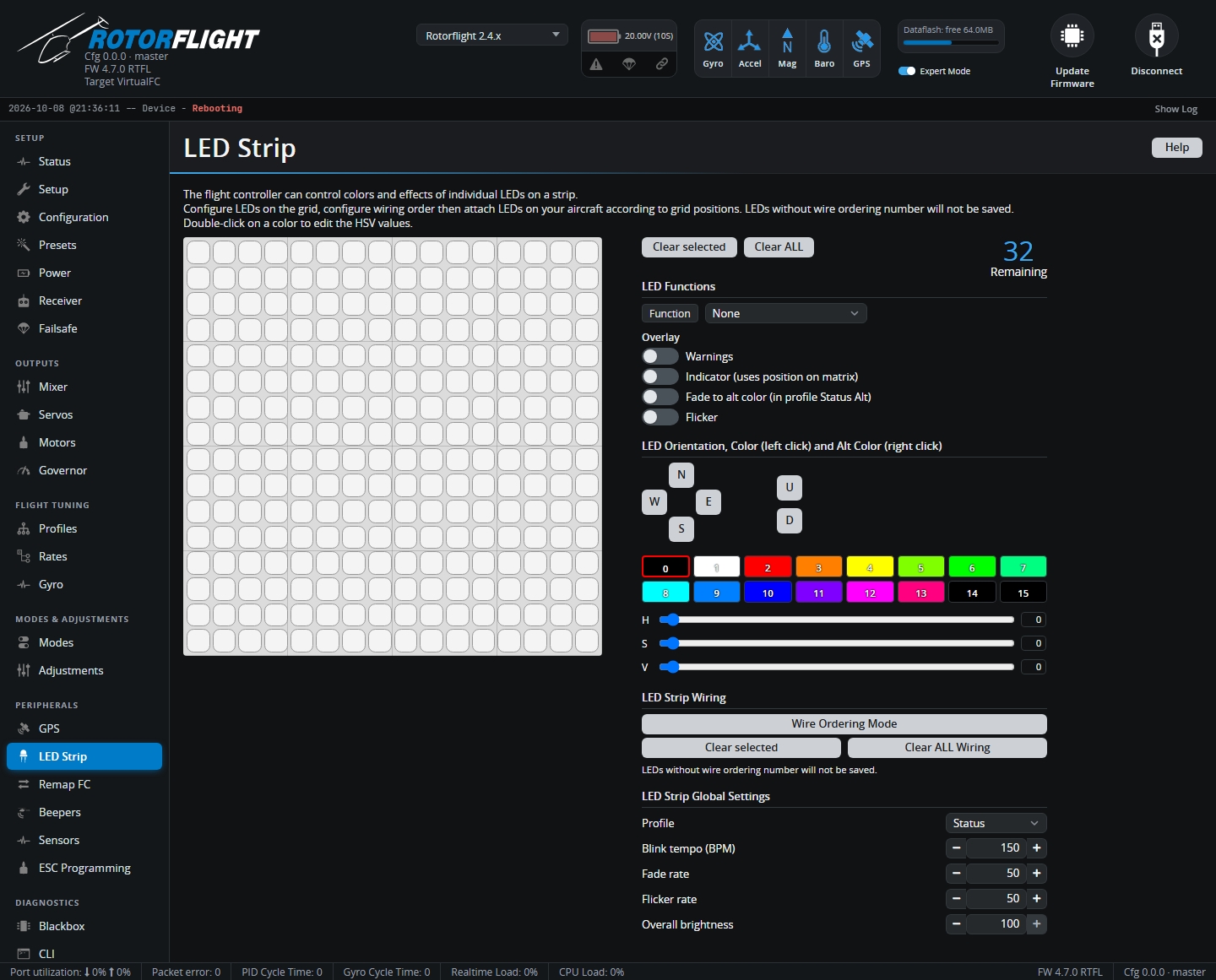
The grid is a map of your helicopter: each square is a possible LED position. You place LEDs on the grid, number them in the order they're wired, and give each one a function and colour.
- Select squares on the grid.
- Pick a Function for them, and options such as orientation (N, E, S, W, Up, Down) and Color modifiers.
- Pick a colour from the palette (double-click a colour to edit its hue, saturation and value).
- Use the Wiring mode to number the LEDs in the order they're connected. LEDs without a wiring number aren't saved.
Clear selected and Clear ALL start over. Remaining shows how many more LEDs you can add.
Functions and overlays
| Function | |
|---|---|
| Color | A fixed colour. |
| Modes & Orientation | Colour depends on the flight mode and the LED's direction. |
| Arm state | Shows armed / disarmed. |
| Battery | Colour shows the battery level. |
| RSSI | Colour shows link quality. |
| GPS | Shows the GPS state. |
| Ring / Larson scanner | Animated effects. |
Overlays add effects on top: Warnings (flashes on warnings such as low battery), Indicator, Blink, Fade to alt color, Flicker.
LED Strip Global Settings
| Setting | |
|---|---|
| Profile | Status (normal), Status Alt (with alternate colours), Beacon, or Race. Can be switched from the radio with an adjustment. |
| Blink tempo / Fade rate / Flicker rate | Speed of the effects. |
| Overall brightness | Dims all LEDs. The LEDLOW mode also dims them from a switch. |
Mode colors and Special colors set the colours used by the modes and orientation function, and by special states such as disarmed, armed and blink background.
See LED Strip in the Reference section for the CLI commands behind this tab.